Revised: 10/2020
The master used to add and maintain Proposals for the district.
Adding New Request for Proposal (RFP):
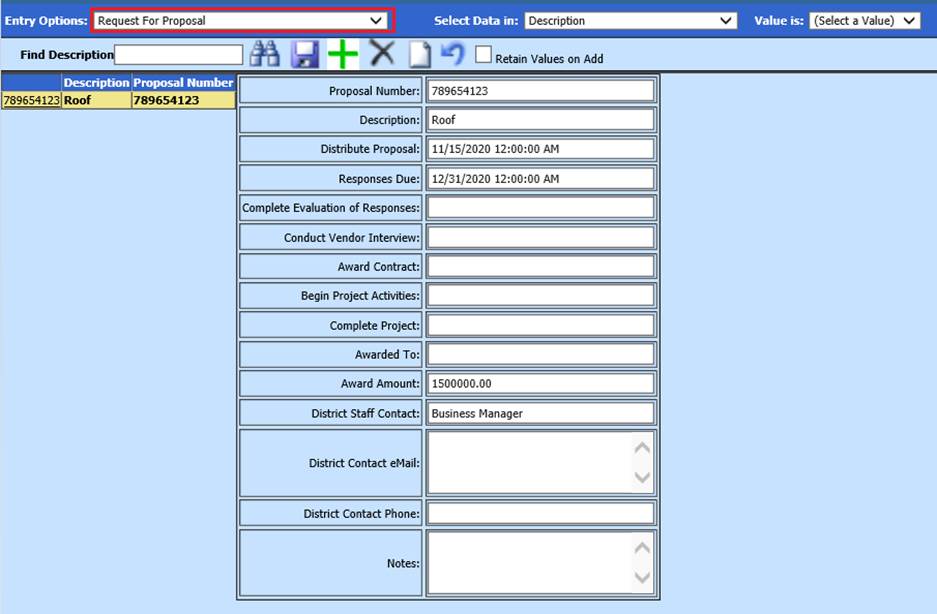
1. Select Master File and Code Entry Options
2. Select Master File Vertical Date Entry and Changes.
3. Entry Options: Select Request For Proposal
4. Select Add a Record
5. Update fields, as needed
•Proposal Number: Enter proposal number
•Description: Enter proposal description
•Distribute Proposal: Enter date proposal to be distributed
•Responses Due: Enter proposal response due date
•Complete Evaluation of Responses: Enter date to complete evaluation of responses
•Conduct Vendor Interview: Enter date of interview of Vendor
•Award Contract: Enter date of awardance
•Begin Project Activities: Enter date project to begin
•Complete Project: Enter date project is completed
•Awarded To: Enter Vendor name project is awarded to
•Award Amount: Enter award amount
•District Staff Contact: Enter staff name
•District Contact eMail: Enter staff email
•District Contact Phone: Enter staff phone number
•Notes: Enter notes for project
6. Select Save
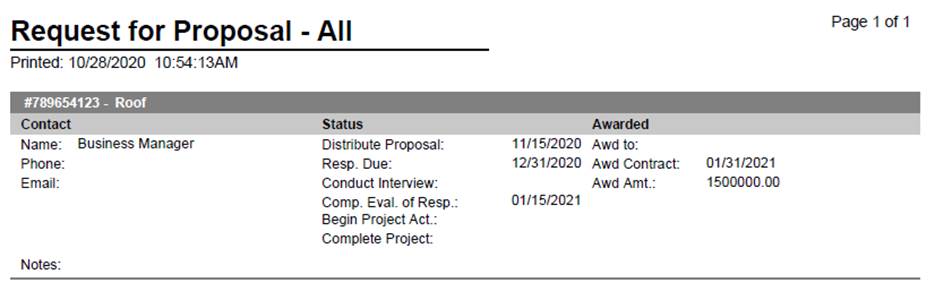
To Print Report of Proposals:
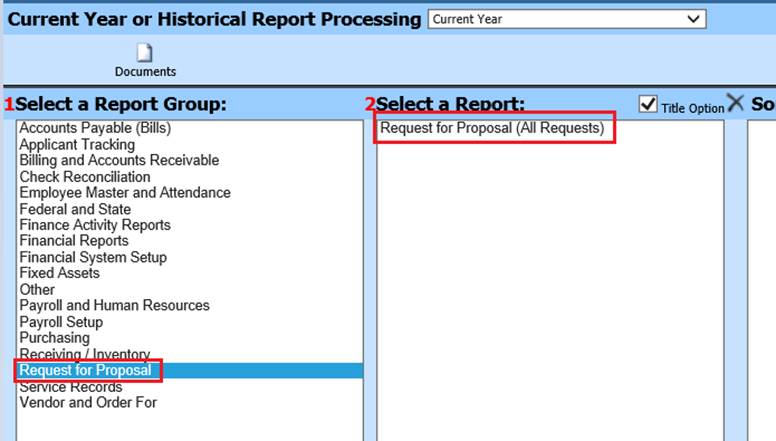
1. Select Reports
2. Select General Accounting Reports
3. 1 Select Service Records
4. 2 Select a Report: Select Request for Proposal
5. Preview Report